Send OpenCode sessions to Agent Debugger
Distlang Agent Debugger captures OpenCode sessions so you can inspect what happened after an agent run: prompts, model calls, tool calls, file edits, context growth, cost, and timing.
Add the Distlang OpenCode plugin, run one command inside OpenCode, and your sessions start appearing in the hosted dashboard.
1. Add the OpenCode plugin
Add the plugin to ~/.config/opencode/opencode.json:
{
  "$schema": "https://opencode.ai/config.json",
  "plugin": ["@distlang/opencode-plugin"]
}
2. Start OpenCode and sign in
Run this inside the OpenCode TUI:
/distlang-startIf you are not signed in, the plugin opens the browser login flow and enables uploads after auth succeeds.
That is it. Your next OpenCode sessions are captured and sent to Distlang Agent Debugger.
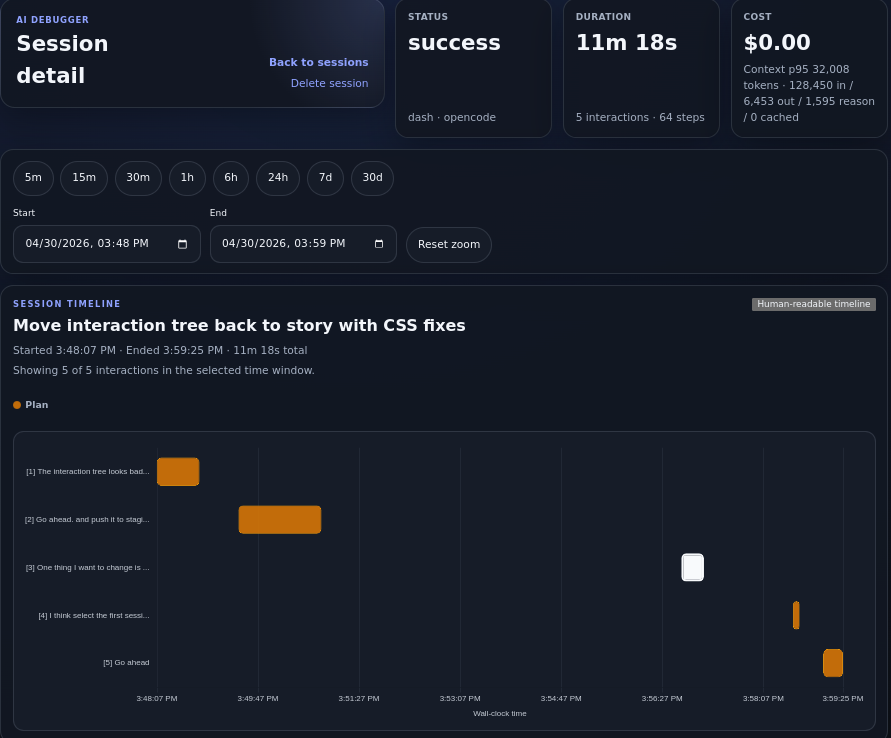
Review the full run timeline, duration, cost, token totals, and captured interactions in the dashboard.
Open any interaction to see the lower-level timeline and selected step details, including model metadata, tool calls, file edits, and context breakdowns when available.
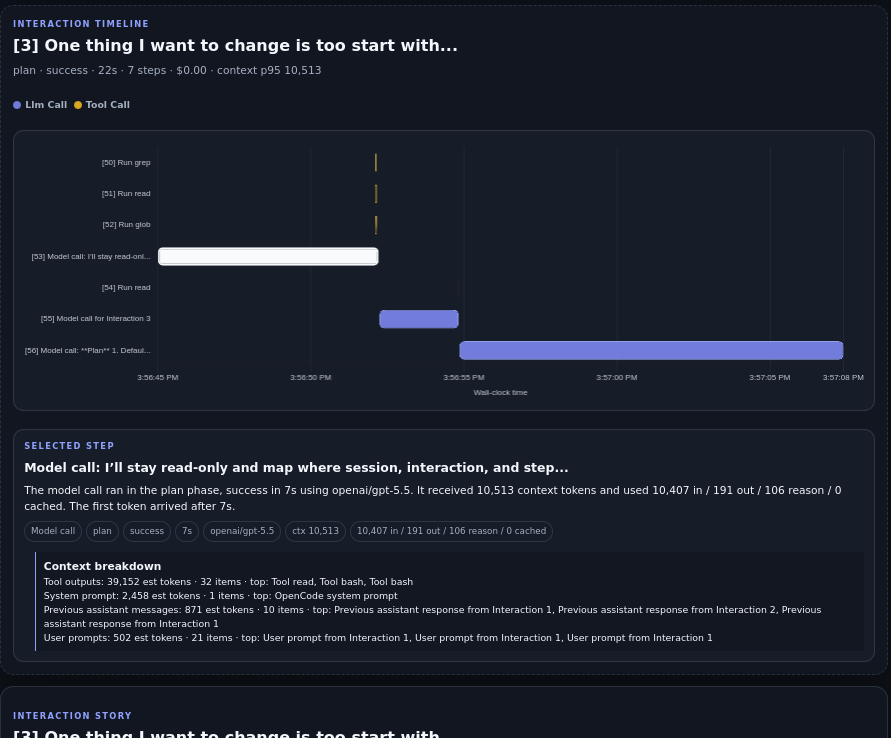
Drill into an interaction to understand how the agent used context and tools.